How to join a campaign
Joining a campaign on Likedby is a great way to get more visibility and boost your earnings. Here’s how:
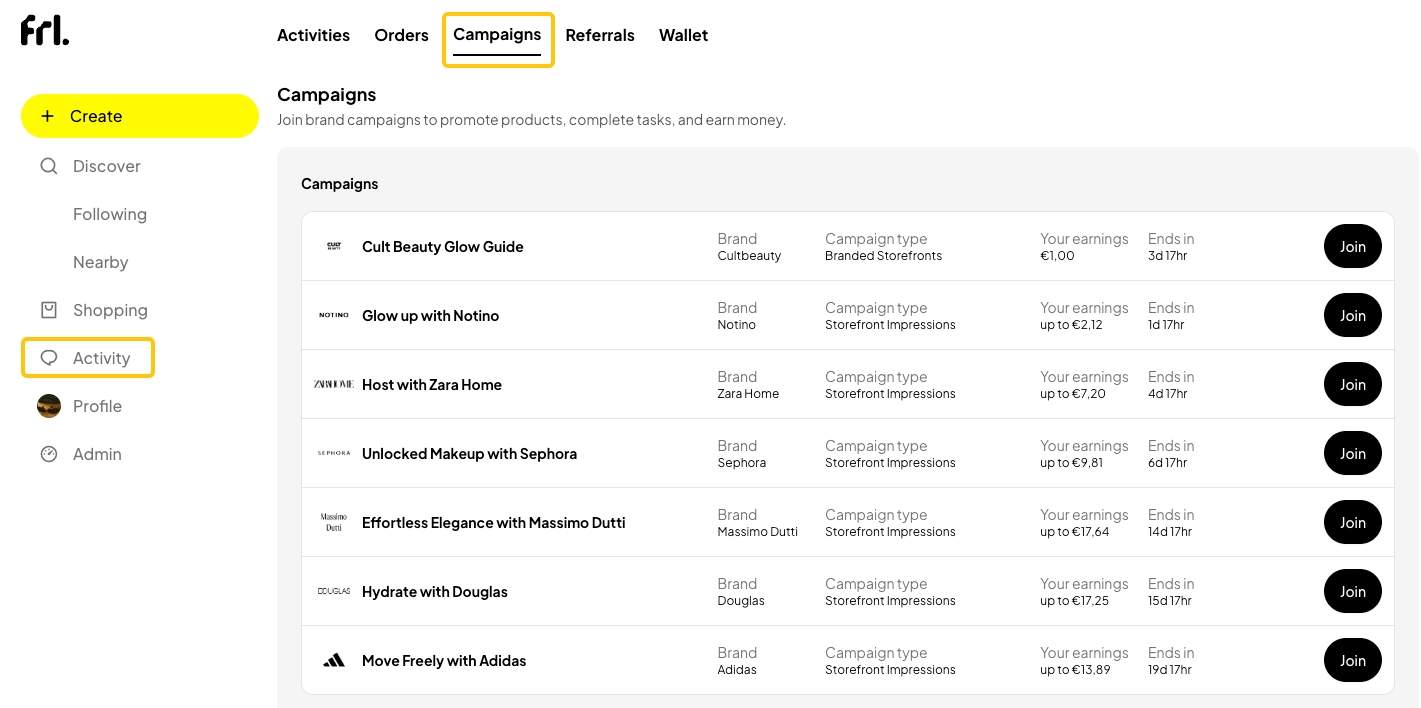
1️⃣ Go to Campaigns
- From the Likedby homepage, click on Activities, then the Campaigns tab.
2️⃣ Choose a campaign
- Pick one that matches your style or the products you want to feature.
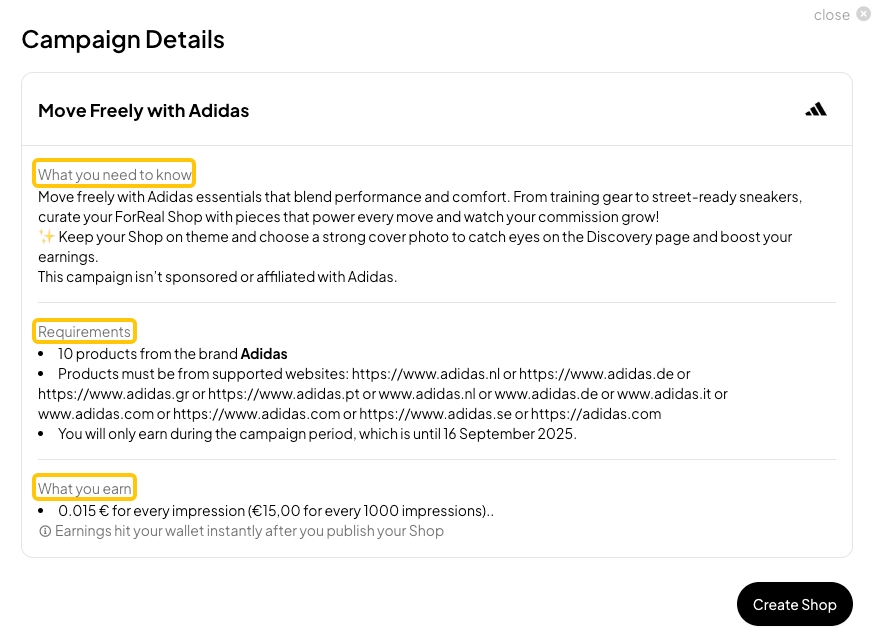
- Click Join to see more details, including the theme, requirements, timeline, and potential earnings—and participate in the campaign.
- Make sure your Shop fits the theme to increase your chances of being featured.
3️⃣ Create your Shop for the campaign
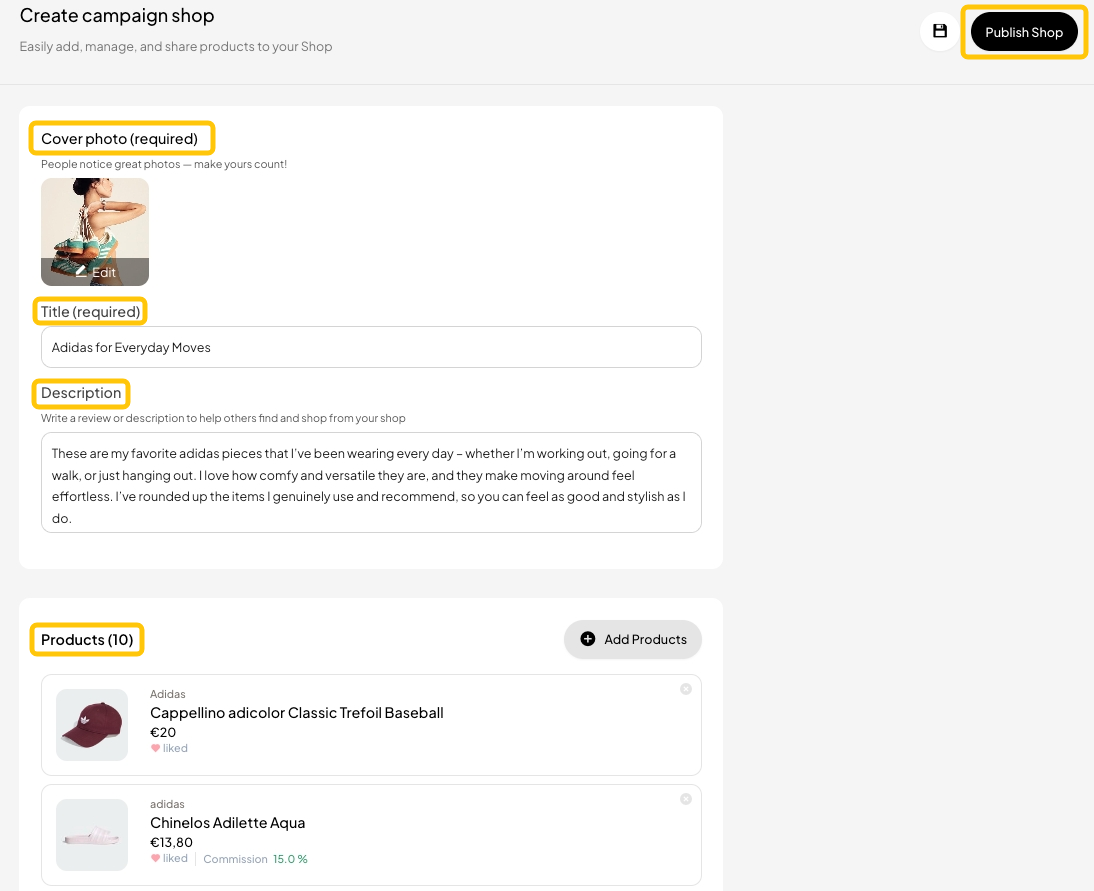
- Click Create Shop and enter your Shop’s title.
- Use a clear, eye-catching cover photo.
- Add a short description to tell people why you picked these items—just a few words help!
- Pick the products you like or want to share.
4️⃣ Publish your Shop
- Click Publish Shop. 🎉 Congratulations—you’ve successfully joined the campaign!
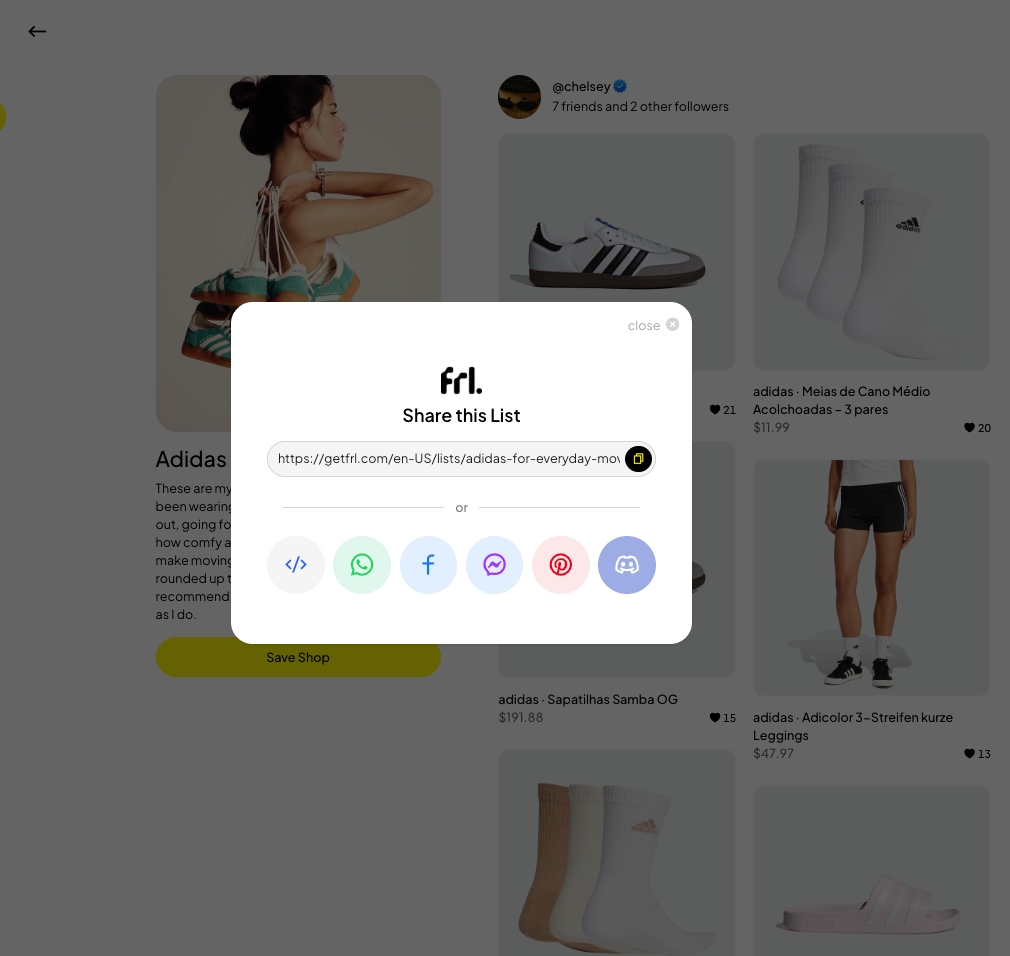
- Copy your Shop link to share with others and boost your views and potential commission.